Affichage des articles dont le libellé est windows. Afficher tous les articles

Five steps to protect your computer from viruses


Héy readers today i'll give you five steps to protect your computer from viruses.as we know .

Harm your computer viruses may be ordinary matter all you have to do is you check your computer and you can remove viruses without any problem and with a few steps, but also can be extraordinary, Some viruses have devastating effects on your computer, while others may affect the important files on your computer, and be obliged to delete these files! , So prevention is better than cure, can prevent your computer from viruses better than to address your computer from viruses, so in this issue we will review the five steps to protect your computer from viruses. 


how to protect your computer from hackers, how to protect your computer from viruse for free, how to protect your computer, how to protect your computer from spyware computer viruses, how to protect your computer from viruses wiki, how to protect your computer from malware, what is a computer virus,


The first step - know what is the computer viruses? 

"Know your enemy", certainly the first thing you need to do is to know what are the effects of viruses, and other information,so how can you enemy protect yourself from if you have any idea about what is computer viruses 

Step Two - Choose a good Antivirus Program

The second most important step is to get a good program Antivirus , however unfortunately there misconception in the use of Antevirus , everyone without exception is using the best program paid (for example Avast), then we use the crack, that mean the antivirus will not be able to download new updates, now we have a  strong program Antivirus but is disabled and useless ,i'l be clear  : a stronger program Antivirus without updates from the Company = 0
These updates are at the top of importance , as we know ther is  a daily new viruses and without the new updates The program is useless and be he you have a smale chance to detect 30% of viruses

The third step - downloading from the internet

When you upload a file in this format ( exe,  rar, zip)  do not use it only after you scann this files by your antivirus, or you can scann it on ligne here is some (Online scanning websites),
now you know very well what are the files that may be infected and how to protect your self from them it.

Step Four - Windows updates

Latest updates is very important for the protection of penetration in particular, (I will talk about the intrusion protection in a separate topic), i can tell that you will not be able to get these updates, if you have a cracked virsion
The difference between (the original and a cracked one)


Step V - email box

E-mail is one of the fastest ways for transmission of viruses, beware when you browsing your email, open only messages thats is from from yout friends who you know, either the attachments that are present inside the messages, I advise you not to open it at all

last word

1 - Do not install more than one Antivirus program on your computer, because it will cause you many problems and slow your computer, a single program is constantly updated enough.

2 - Do not download torrent file, but from a trusted website, because some torrents may be fake and have  infected files.
3 - Turn on the firewall on the computer by entering the Control panel, then Windows firewall, and then turn it over to choose On.
4 - Do not open the flash memory in the device only after examination by your Antivirus


How to recover deleted pictures and videos

lost pictures, lost videos, recovery, recover, documents, hard disk,

How to recover deleted pictures and videos ?

PhotoRec is a program designed to recover deleted photos, including pictures, videos and documents, the program features an amazing ability to recover deleted photos from digital camera memory.

We hope this tutorial may have helped you in learning how to recover deleted photos from your computer and videos 
 If anyone find any difficulty then don't be shy to make a comment below or tweet us @GeekTechFull

Download TestDisk 

How to Clean up and Speed Up your computer


How to Clean up and Speed Up your computer ?

There are some specialized software called cleaners, which allow you to clean up your slow computer easily by deleting unnecessary files. There are many temporary files that accumulate over the hard drive and cause slow computer.
Below i give  you best 3 programs to clean up your computer, which will improve the tool computer.


1- Ccleaner Program 


Excellent Software to clean and Speed Up the computer properly. Removes temporary files and unnecessary and waste programs.
also scans cookies and browsing history  like  Chrome and Firefox and IE and other browsers.
Ccleaner can be used also in the removal of programs and repair some of the material and make a copy of registry

●▬▬▬▬▬▬▬▬▬▬▬▬▬▬▬▬▬▬▬▬▬▬▬▬▬▬▬▬▬­▬▬▬▬●

2 - AppCleaner


Available only to the operating system MAC. You select the items that you want to clean like browsers, applications, registration or tools in the operating system and it's up to you to determine those elements. this program have a negatives side wich he has no backup and this feature a risky operation so you should make a backup copy of your data before using this program.


●▬▬▬▬▬▬▬▬▬▬▬▬▬▬▬▬▬▬▬▬▬▬▬▬▬▬▬▬▬­▬▬▬▬●

3 - GlarySoft


Program specializes in cleaning your computer completely, It cleans up the computer with one click , also  Allows you to repair damaged shortcuts and fix your browser registry, They'd Add some new tools in this new virsion like recover your files, deleted files, and encrypt files


We hope this tutorial may have helped you in learning how toHow to Clean up and Speed Up your computer  If anyone find any difficulty then don't be shy to make a comment below or tweet us @GeekTechFull

How to get a stylish Start menu on windows 8 and 7

How to get a stylish Start menu on windows 8 and 7 ?

The issuance Windows 8 without the Start menu caused a sensation between Windows users, in addition to the non-availability glass start advantage like windows 7 start menu, Since the release of Windows 8,must

get, stylish, windows 7, windows 8, start menu, start menu river,How to get a stylish menu, stylish start menu for windows 7, stylish start menu for windows 8, download stylish start menu for windows xp

of software programmers industry start making softwares that allow the user the advantage of the Start Menu...

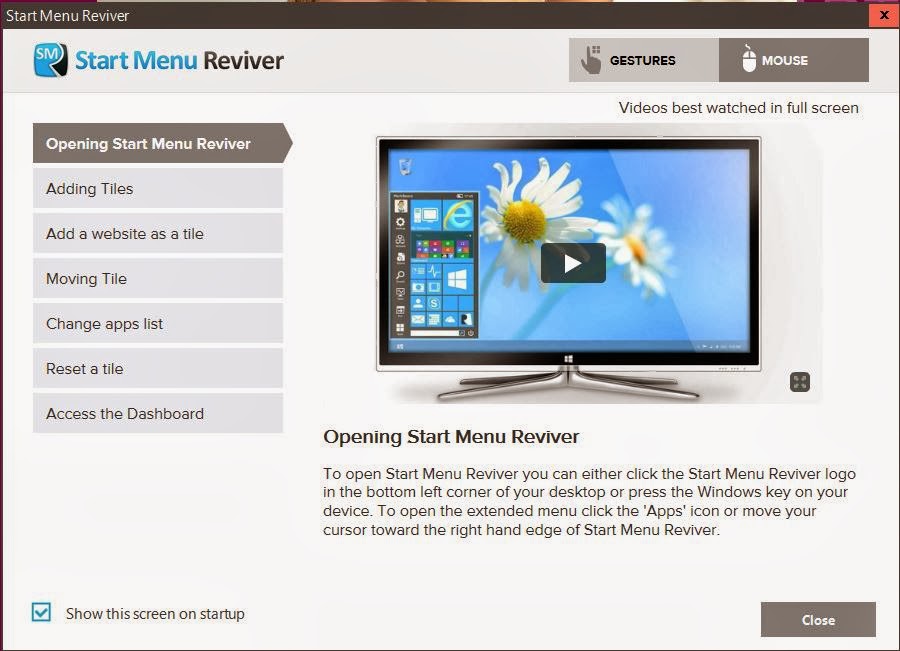
What is START MENU REVIVER?

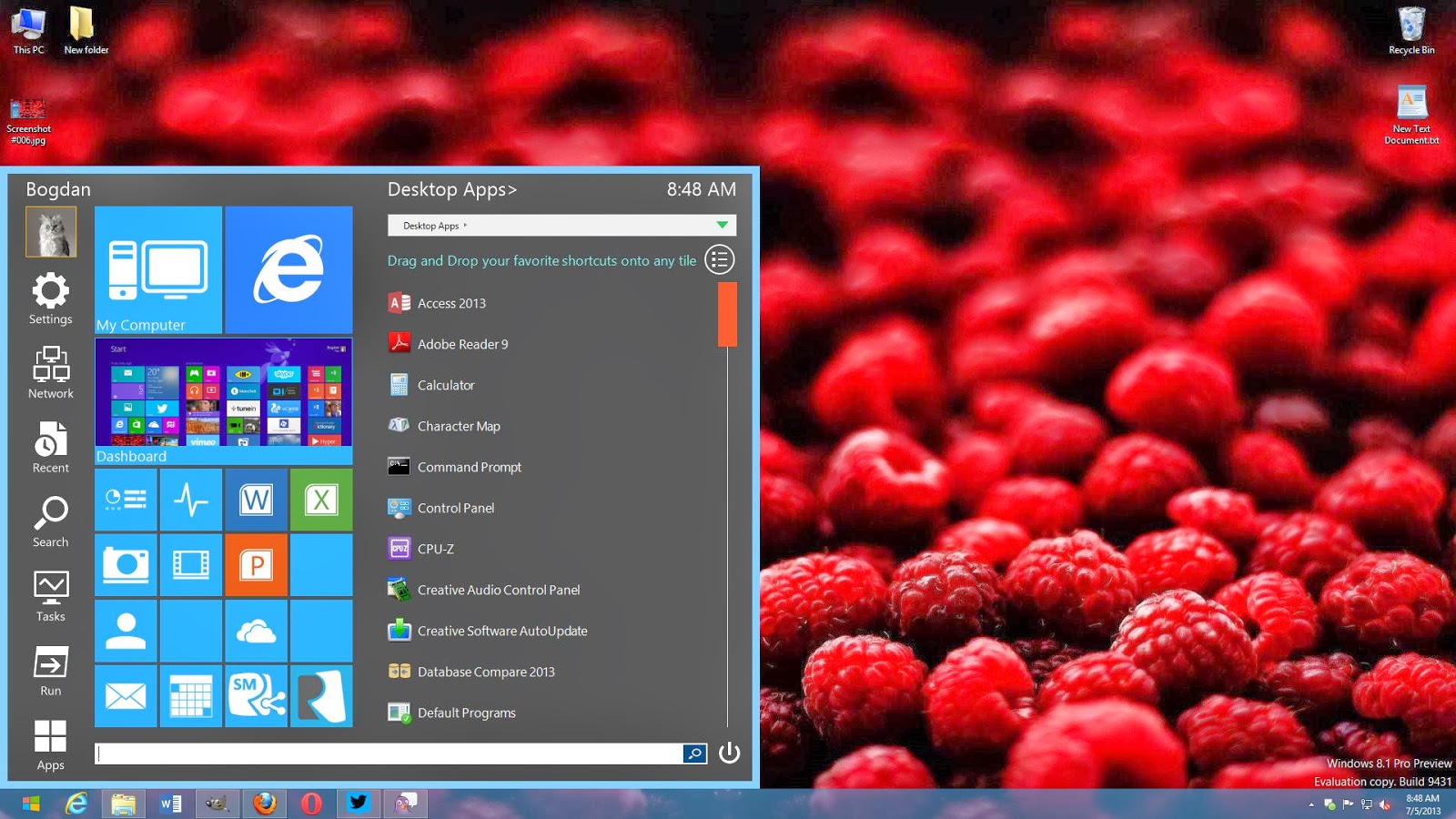
Is a wonderful, as we notes in the picture is fully compatible with the design of the metro, and is used by more than 168,000 users, which provides you with many of the properties and the most important:
Possibility and put your favorite sites in the form of applications.
The possibility of developing your software useful shortcuts or system applications.
The possibility of the amendment on the list with ease and with the interface easy and smooth
The possibility of the amendment to the colors and clicking on the settings and then start menu settings and change color scheme.


Availability on the side of the search list simply and easily.
The program provides a set of ready-made ​​icons that you can use.
There are many other properties, I'll let you try it by your self :D


And the exciting thing is Windows 7 users also can enjoy these beautiful list.
The program fitter on windows 7 and 8, you can also try it on any version you want


We hope this tutorial may have helped you in learning how to Get a stylish Start menu on your computer with START MENU REVIVER If anyone find any difficulty then don't be shy to make a comment below or tweet us @GeekTechFull

For download from the official site : start menu reviver

How to speed up internet with a simple trick

how to speed up internet connection windows 7, how to speed up internet connection windows 8, how to speed up internet connection with router, how to speed up internet connection for gaming, how to speed up internet downloads


Héy Guys today i'm going to show you how to speed up your internet with simple trick ,
Well i'm searching on google i found a website called dns.yandex.com who help you to how to speed up internet connection by offering several DNS plans and you can choose betwen  you can use the basic plan in order to speed up the Internet, Or you can use Safe
To navigate against viruses and malware, and you can also choose the family plan to protect your family against pornography....
To use any of the above plans, you can change the value of existing DNS bottom of each plan quickly and easily with manuel Way watch the video and just follow the steps :)

╚►Link


We hope this tutorial may have helped you in learning how to speed up internet connection If anyone find any difficulty then don't be shy to make a comment below or tweet us @GeekTechFull

www.HyperSmash.com